4 Rigid Monitor Mounts That Won’t Sag on Your 2026 Camera Cage
Have you ever been mid-shoot, adjusting your camera, only to watch your monitor start to sag—just when you need it most? That sinking feeling, knowing your crisp shot might wobble or slip just as you hit your prime take, is all too familiar. I remember countless frustrating moments where my monitor’s weight, combined with less-than-sturdy mounts, caused jittery feedback and shaky footage. It’s like trying to balance a book on your finger—futile, and stressful. But what if I told you there’s a way to keep your monitor firmly in place without sacrificing stability or adding unnecessary bulk?
Conquering Monitor Sag: The Stable Solution
Back when I first began assembling my rig, I underestimated the importance of a solid monitor mount. I made the rookie mistake of choosing a flexible, lightweight mount that promised portability but couldn’t handle the weight of my monitor. Sure, it looked sleek and was easy to attach, but after a few rigging sessions, it sagged—wobbling with every move. That early mistake taught me a valuable lesson: quality mount stability isn’t optional; it’s essential for professional results. The good news? I’ve since learned that with the right gear, you can prevent this common pitfall. Today, I want to guide you through selecting the best rigid monitor mounts designed to eliminate sag—so you can focus on your shot, not your setup.
Will a Rigid Monitor Mount Save My Shoot?
Many filmmakers worry that upgrading to a more robust mount might be overkill or too bulky. I get it. The fear of added weight or losing the sleekness of your rig can be tempting to ignore. But I’ve seen the difference firsthand—using sturdy, purpose-built mounts dramatically reduces unwanted movement. An article from CreatorRigReviews highlights that investing in high-quality rig accessories can lead to more stable footage and fewer retakes, ultimately saving time and frustration. Early on, I tried to save money by hacking together parts, only to face repeated sagging. That mistake cost me more in the long run. So, I can tell you—it’s worth investing in the right mounts now.
Now, are you ready to discover which mounts can truly hold up your setup without sacrificing stability? Let’s dive into the top options and find what works best for your 2026 camera cage.
Choose the Right Mounting Solution
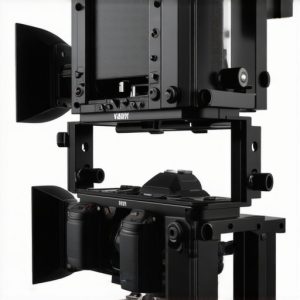
Begin by selecting a mount designed for heavier monitors, such as a heavy-duty articulating arm or a solid platform with reinforced joints. I once upgraded from a lightweight, flexible arm to a robust, rigid mount when I experienced constant sagging during a critical shoot. The difference was night and day, with no wobble or drift even during intense camera movements.
Assess Mount Weight Capacity
Check that your mount’s weight capacity exceeds your monitor’s weight by at least 25%. For example, if your monitor weighs 2kg, opt for a mount rated for 2.5kg or more to ensure stability. This prevents overloading the mount and causing sag over time, similar to overloading a ladder and risking collapse.
Use a Counterweight System
Implement counterweights on the mount or arm to balance the monitor. I used small weighted bags attached near the pivot points, which balanced out the monitor’s weight, dramatically reducing strain and preventing sag. This technique is especially effective when precise adjustment is needed during dynamic shoots.
Optimize the Rig Hardware and Accessories
Invest in high-quality rig accessories that enhance stability, as recommended in CreatorRigReviews. Use beefier top handles and support arms that lock securely into place. For example, swapping loose handles with locking, ergonomic grips improved my control and prevented unwanted movement during handheld shots.
Secure All Connection Points
Tighten every screw, bolt, or quick-release clamp on your rig, especially around the monitor mount. I once overlooked a slightly loose screw, which caused minor wobbling; tightening it resolved the issue instantly and avoided any jittery footage during a pivotal scene.
Implement Anti-Sag Hardware
Consider add-on anti-sag kits or cable management systems that provide extra tension against gravitational pull. These can be subtle but powerful tools that maintain the monitor’s position, particularly useful in long shooting days or when using extended rigs.
Verify Field Stability Through Practical Tests
Before filming, conduct shake tests—gently wiggle the monitor to observe any unwanted movement. During a recent shoot, I applied this test after adjustments and caught a slight wobble in my setup. A quick tightening of clamps fixed this, and I was able to proceed with confidence, knowing my monitor stayed steady even during fast camera moves.
Balance Your Rig for Consistency
Ensure your entire rig maintains center-of-gravity balance to prevent unnecessary stress on mounts. I often recheck the balance after adding accessories—like external microphones or lights—as these can shift weight distribution, leading to potential sag. Learning to readjust on the fly is crucial for maintaining stability during dynamic scenes.
Stay Informed with Rigs and Support Accessories
Keep up-to-date with the latest innovations in camera cage and rig accessories. Modern quick-release systems, for example, make it easier to swap monitors securely without sacrificing stability. When I recently switched to a new quick-release mount, assembling and disassembling my setup became faster and more secure, saving precious time on set.
Regular Maintenance Checks
Perform routine inspections of your mount and rig components to catch wear or loosened parts early. I schedule monthly checks, tightening bolts and testing stability, which prolongs the life of my gear and keeps my shots steady.
By integrating these steps into your workflow, you’ll build a rig that holds your monitor firmly in place, eliminating sag and unwanted movement. Proper hardware selection, regular adjustments, and leveraging the latest accessories work together to deliver the stability you need for professional-quality footage.
Many creators assume that investing in a high-end top handle or rigid camera cage automatically guarantees flawless footage. However, what most overlook are the nuanced details that truly determine your setup’s stability and ergonomics. For instance, there’s a widespread myth that heavier rigs always produce better shots, but experts like those at CreatorRigReviews emphasize that proper balance and lightweight design often yield superior results—less fatigue and more precise control. A common rookie mistake is neglecting the importance of customizing rig accessories to fit your ergonomic needs; what works for one filmmaker might cause strain for another. The hidden nuance many miss is that top handle positioning significantly impacts shot stability: too forward, and you may compromise balance; too high, and control becomes awkward. Understanding that the main goal is a comfortable, balanced support system is crucial—imagine your rig as an extension of your body rather than just gear. Remember, skilled filmmakers often fine-tune their setups beyond default configurations, incorporating small but vital accessories that enhance stability without adding weight. Don’t fall into the trap of assuming your gear’s quality alone guarantees success; how you adapt and balance your rig makes all the difference. Have you ever fallen into this trap? Let me know in the comments.
Once you’ve built a solid setup, the key to maintaining its performance long-term lies in regular upkeep and using the right tools. Proper maintenance not only extends the lifespan of your expensive gear but also ensures consistent results on every shoot. In my experience, investing in high-quality maintenance tools and adopting a routine check-up schedule has saved me countless hours of troubleshooting and potential gear failures.
Staying on Top with Essential Maintenance Tools
The first tool I swear by is a precision screwdriver set designed specifically for camera gear. Many rig components, like the cage screws or handle clamps, are tiny but critically important. Using a generic screwdriver can strip these fasteners—leading to unnecessary replacements or instability. I recommend a set with multiple bits, including Torx and Allen keys, to cover all your gear’s needs. Additionally, a small pair of pliers and cable-management scissors help keep your connections tidy and prevent wear over time.
To keep your camera cage and supports free of dust and grime, a micro-fiber cleaning cloth combined with compressed air is essential. Regularly wiping down your handles, rods, and monitors prevents buildup that could affect movement or adhesion of accessories. Also, applying a tiny amount of lubricant, like a silicone spray, to joint points ensures smooth operation and reduces wear. I apply lubricant to quick-release clamps and mounting joints after every few sessions—it’s a small habit that pays off in stability and ease of use.
How do I maintain my rig support systems over time?
Frequent inspections are vital. I set a bi-weekly reminder to check all screws, bolts, and quick-release mechanisms for tightness. If a component starts feeling loose or if I notice any unusual resistance when adjusting, I immediately replace or lubricate the part. For example, stiff or squeaky shoulder supports often indicate oxidation or dirt buildup; cleaning and re-lubricating restores their smooth motion. Additionally, I always keep an eye on the wear of rubber grommets and padding—damaged dampers or grips can compromise stability, so replacing them proactively keeps your rig performing flawlessly.
Beyond tools, software-based upkeep also plays a role. Using firmware updates and calibration tools provided by component manufacturers ensures your digital accessories and electronics stay responsive and accurate. For instance, many modern monitor systems now come with calibration software that maintains color consistency and brightness, avoiding drift that can occur over time.
Looking ahead, I see trend towards smarter maintenance solutions, like IoT-enabled components that alert you when service is due. However, until then, a disciplined routine using reliable tools is your best bet. I highly recommend trying out a dedicated cleaning kit paired with a detailed maintenance schedule—your rig will thank you with consistent, high-quality footage shoot after shoot.
Remember, regular maintenance isn’t just about fixing issues; it’s about proactive care to prevent problems before they start. Investing in quality tools and establishing a routine will make your filmmaking experience smoother and your gear more dependable. For more in-depth recommendations on accessories that facilitate easy upkeep, check out the best rig accessories. Start implementing these maintenance strategies today, and see how they improve your setup’s longevity and performance.
Lessons from the Front Line of Rig Building
One of the most eye-opening lessons I learned was how seemingly small adjustments could make a big difference. For instance, I once spent hours balancing my camera rig perfectly, only to realize that a minor misalignment in my support arm caused persistent sagging. It taught me that precision and attention to detail are crucial, and overlooking tiny components can compromise your entire setup. Additionally, I discovered that even the most robust mounts can falter if not properly maintained—regular checks and tweaks are vital to keep your rig performing at its best. These experiences reinforced that patience and continual learning are essential for achieving professional stability.
Another insight was understanding the myth that heavier rigs automatically lead to more stability. In reality, thoughtful design and proper counterbalancing matter far more than sheer weight. I found that a lighter, well-balanced rig with quality support accessories often yields more comfortable handling and steadier footage than bulky setups. This realization shifted my approach from chasing weight to optimizing ergonomics and support system integration. Lastly, I learned the importance of customizing rig components to fit personal shooting styles—what works for one scene might hinder another. Flexibility and adaptability are key to mastering your filmmaking gear.
My Recommended Arsenal for Film Support Systems
If you’re serious about elevating your setup, I recommend starting with the ultimate guide to camera rig support systems. It provides comprehensive insights into selecting the right support gear, ensuring compatibility, and achieving optimal balance. For premium accessories, the best rig accessories for seamless video production have transformed my shoots by enhancing stability and quick setup. Don’t overlook the importance of quality quick-release plates and locking mechanisms—these small upgrades can save you time and frustration in the field.
Furthermore, investing in an ergonomic shoulder support can reduce fatigue and improve shot steadiness. The essential shoulder rigs guide offers valuable advice on choosing supports that match your weight distribution needs. Remember, the right combination of support accessories isn’t just about gear—it’s about empowering your creativity and confidence behind the camera.
Embrace the Challenge: Take Action Today
Stability isn’t just a technical goal; it’s the foundation for compelling visual storytelling. By applying these lessons and leveraging trusted resources, you can create rigs that feel intuitive, reliable, and agile—ready to capture your best work. The journey to a flawless setup is ongoing, but every step you take today gets you closer to cinematic excellence. Keep experimenting, refining, and investing in quality support gear, and watch your filmmaking soar.
What’s the biggest challenge you’ve faced in building or maintaining your camera rig? Share your experiences below—I’d love to hear your stories and tips for achieving that rock-solid stability.
}

![4 Cooling Cage Mods to Stop 2026 Mirrorless Overheating [Tested]](https://rigs.creatorrigreviews.com/wp-content/uploads/2026/04/4-Cooling-Cage-Mods-to-Stop-2026-Mirrorless-Overheating-Tested-300x300.jpeg)