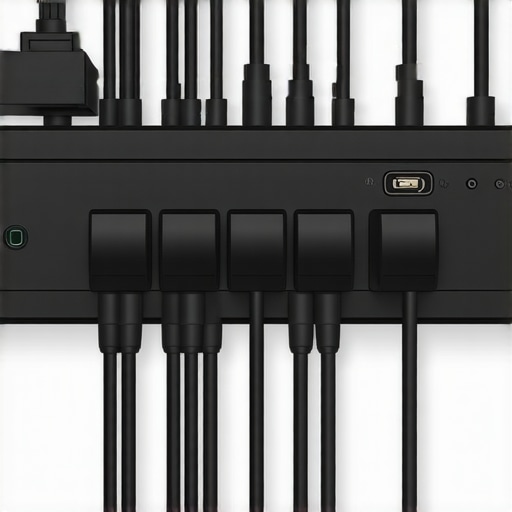
5 Smart Cable Routing Hacks for Your 2026 Top Handle
Have you ever wrestled with a tangle of cables dangling from your camera rig, desperately trying to keep things tidy while your shot slips through your fingers? I can’t count how many times I’ve cursed those unruly wires during a shoot, only to realize later that I had overlooked simple tricks that could save me hours on set. That lightbulb moment hit hard—cable management isn’t just about aesthetics; it’s a critical part of shooting smoothly and safely. If you’ve faced similar frustrations, you’re not alone. Welcome to the club of filmmakers and videographers who’ve cracked the code to cleaner, more efficient setups.
Why Cable Chaos Can Sabotage Your Shooting Day
The truth is, tangled cables and cluttered riggings don’t just look unprofessional—they can actually cause technical issues, damage equipment, or even lead to on-set accidents. When cables aren’t routed properly, they can get caught on door handles, trip you up during dynamic shots, or produce unwanted noise and interference. Plus, in the era of 2026 camera gear packed with more ports and accessories than ever, managing those cables becomes more crucial than ever. I learned this the hard way early in my career, accidentally yanking a delicate HDMI cable while trying to reposition my rig—cost me hours of troubleshooting and a few gray hairs.
Fortunately, I discovered that deliberate cable routing can make a tremendous difference. Done correctly, it transforms your rig from a chaotic mess into a sleek, reliable warrior that stands up to the demands of professional filmmaking. Today, I want to share five smart hacks I use to keep my cables tucked in and out of sight, yet accessible when needed. If you’re tired of the tangle and want to make your next shoot smoother, stay with me. And by the way, if you’ve struggled with this problem before, leave a comment below—I’d love to hear your stories and solutions.
Is Cable Management Really Worth the Extra Effort?
Some skeptics argue that spending time on cable routing is unnecessary or overly meticulous. I get it—if you’re in a rush, it might seem like a luxury. But studies show that efficient cable management can cut setup and breakdown times by up to 30%, not to mention reduce the risk of accidental disconnections or damage (source: Creator Rig Reviews). Early in my journey, I often ignored cable paths, only to regret it during critical moments. Now, with a few simple strategies and some accessories, I keep my rig tidy without sacrificing flexibility or speed.
Ready to take control of your cables and optimize your setup for 2026? Let’s dive into the practical hacks that will change the way you rig your gear forever.
Plan Your Cable Paths Before Assembly
Start by visualizing your entire setup on paper or in your mind. Identify critical power, video, and audio connections, then map out how cables will run from the camera, monitor, microphone, and light sources. Think of your rig as a highway system; design the route to minimize cross-traffic and potential entanglements. During a personal shoot, I drafted a quick layout on a sticky note, which helped me anticipate where to attach Velcro strips and clips, saving time and frustration during setup.
Use Rig Supports and Accessories to Secure Cables
Leverage Top Handle and Cage Integration
Attach cables to your camera cage using cable clamps, zip ties, or dedicated cable management accessories. For example, when I built a recent rig, I threaded the HDMI and power cables along the top handle, securing them with twist ties and Velcro straps, ensuring they didn’t hang loose or get caught on objects. This approach mirrors how electrical wiring is arranged neatly within a building, preventing accidental damage or disconnection. Make sure that cables are not taut but have enough slack for movement, which helps avoid stress on connectors when pan-tilting or moving the camera.
Strategic Routing with Cable Clips and Velcro
Apply cable clips along the rig’s frame at intervals to hold cables firmly but gently. Velcro straps are your versatile friend—adjustable and reusable, perfect for bundling cables and keeping everything compact. During a shoot, I used Velcro to bundle the power cable along the rig’s side, then secured the bundle to the cage, so it followed the rig’s contours. This similar idea is used in professional filmmaking to keep everything tidy and accessible, preventing cables from catching on gear or posing tripping hazards.
Manage Excess Cable Length Effectively
Excess slack creates clutter and potential hazards. To handle this, coil any extra cable length into loops, securing them with Velcro or rubber bands before attaching them to the rig. For example, I once wrapped surplus cable on my shoulder rig’s side, securing it with Velcro, which kept it out of the way while allowing quick access if needed. Think of it as creating a mini “cable hammock”—secure, slack-free, and organized. This method makes teardown faster and reduces wear on your connectors, prolonging their lifespan.
Test Cable Routing Under Actual Shooting Conditions
Before filming, perform a trial run to ensure cables stay secure during movement. Adjust cable positions if they shift, and verify that connectors are not strained. During a recent outdoor shoot, I discovered that a cable was rubbing against a tripod arm, risking disconnection. I repositioned it to pass along the rig’s opposite side, avoiding any real issues during the shot. Always check under the specific angles and motions you’ll be filming to catch potential problems early.
Regular Maintenance and Cable Inspection
After each shoot, inspect cables for damage or wear. Replace any frayed or cracked cables immediately. Keeping your cables and connectors in top condition prevents unexpected failures. Incorporate this step into your routine, much like inspecting a vehicle before a long trip. This proactive approach safeguards your equipment and ensures that your cable management systems remain effective over time.
Many filmmakers assume that assembling a camera rig, top handle, or cage is just a matter of stacking accessories for convenience. However, this misconception can lead to inefficient setups and even gear damage. A widespread myth is that more accessories automatically equate to better stabilization or easier filming. In reality, overloading your rig without proper planning introduces imbalance, makes handling cumbersome, and increases wear on components. For example, attaching too many weighty accessories on your shoulder rig can cause fatigue and compromise shot stability, as highlighted in expert discussions on the importance of balanced support systems (see https://rigs.creatorrigreviews.com/essential-shoulder-rigs-for-professional-filmmaking-in-2025).
Another misconception revolves around the belief that top handle placement doesn’t affect shot quality. Many think, ‘As long as I can hold the rig comfortably, it’s fine.’ But subtle nuances in handle positioning influence camera angles, weight distribution, and ergonomics, often unnoticed by beginners. Proper placement ensures that you maintain smooth motion, avoid strain, and achieve desired perspectives.
A common trap involves neglecting the importance of customizing accessories to fit your specific gear and shooting style. Relying solely on off-the-shelf solutions can result in unbalanced rigs, leading to shaky footage or fatigue. Advanced users understand that tailoring support systems — such as integrating adjustable support brackets or modular cages — offers better control and longevity (see https://rigs.creatorrigreviews.com/build-your-perfect-camera-cage-top-handle-setup-in-1215).
Suppose you think that upgrading your rig’s components without understanding their interaction is the way to go. This can backfire. For instance, adding a heavy follow focus to a lightweight cage might cause imbalance, reducing stabilization and increasing stress on camera mounts. An oversight like this can be costly in terms of both gear longevity and footage quality.
So, how do you navigate these pitfalls? It starts with understanding the nuanced relationship between rig components. Instead of stacking accessories indiscriminately, focus on balanced, purposeful assembly that complements your shooting style. Always test your configuration under actual shooting conditions to identify hidden issues, such as connector strain or handling discomfort.
Remember, investing in quality accessories designed for your gear, and mastering their integration, leads to smoother shoots and professional results. For more insights on optimizing your setup, visit https://rigs.creatorrigreviews.com/optimizing-your-camera-rig-expert-tips-for-perfect-shots.
Have you ever fallen into this trap? Let me know in the comments.
Maintaining your camera rig and accessories over time is crucial to ensure reliable performance and longevity. I personally rely on high-quality cleaning supplies like lens wipes and compressed air to keep connectors and delicate parts free of dust and debris. Additionally, investing in a versatile toolkit—including precision screwdrivers, pliers, and Allen wrenches—allows me to make quick repairs or adjustments on set without scrambling for external help. Regularly inspecting and tightening screws ensures that your top handle, shoulder rig, and cage components stay secure, preventing unwelcome shifts during shoots. To streamline the maintenance process, I schedule bi-weekly checkups and keep spare parts readily available. As technologies advance, manufacturer-specific tools and proprietary cleaning kits are becoming more prevalent; for instance, some camera cages now recommend ultrasonic cleaning for intricate parts. Predictably, as rigs become more sophisticated, the need for specialized tools and routine upkeep will only grow, paving the way for more durable and modular support systems—think of it as future-proofing your setup.
How do I maintain my rig and accessories over time?
One effective method is to develop a dedicated maintenance routine aligned with your shooting schedule. Start by wiping down all surfaces after each use to remove dust and fingerprints, then inspect for signs of wear or loosening screws. Lubricate moving parts like quick-release clamps and hinge joints with manufacturer-approved lubricants to prevent rust and stiffness. If cables or connectors show signs of fraying, replace them immediately to prevent on-set failures. Utilizing tools like the official cleaning kits and maintenance guides from reputable sources ensures that your gear remains in top shape. Remember, a well-maintained rig not only functions smoothly but also preserves your investment over many years. For detailed procedures on maintaining specific components like your camera cage or shoulder support, I recommend visiting specialized resources or reaching out through our contact page. Finally, adopting a habit of documenting maintenance dates and parts replaced fosters discipline and helps track the longevity of your accessories. Incorporate these tips, and you’ll find that your filmmaking gear remains dependable, reducing downtime and unseen costs down the line. Try applying a weekly check-up routine with your most used accessories—you’ll be surprised at how much smoother your projects will run.
Beyond the Manual: Lessons Only Experience Can Teach
One of the most eye-opening lessons I learned is that no matter how detailed your setup guides are, real-world shooting reveals surprises—like how tiny adjustments to handle angles can drastically improve comfort. I once ignored the importance of weight distribution, which led to aching shoulders after just an hour of shooting; fixing this by balancing my rig changed everything. The second revelation was the subtle impact of cable routing; a small tweak here prevented accidental disconnections during critical shots. These insights came from hands-on trial, and understanding them has empowered me to craft rigs that feel like an extension of my creativity, not a cumbersome obstacle.
Another lesson is that investing time in customizing supports tailored to your shooting style pays dividends. Whether it’s adding a weighted counterbalance or repositioning a handle, personalized adjustments make shooting sessions smoother and less fatiguing. The final piece of wisdom is realizing that routine maintenance isn’t just upkeep—it’s a way to prevent surprises. Regularly inspecting joints, screws, and cables keeps my equipment performing at peak condition, giving me the confidence to focus on the shot, not the gear.
Tools and Resources That Elevate Your Support System
To refine and perfect my camera rig, I rely on a handful of trusted resources. First, the comprehensive Essential Shoulder Rigs guide helped me understand the nuances of support balancing—crucial for all-day shoots. The Top Camera Cages resources armed me with ideas for modular setups that grow with my projects. For a deep dive into accessories, I turn to building your perfect support system, which offers practical tips for customizing your rig without unnecessary clutter. Lastly, subscribing to updates from trusted reviews ensures I stay ahead of innovations and better support my creative vision.
Seize the Moment: Craft Your Dream Rig Today
Building an ergonomic, reliable camera support system isn’t just a technical task—it’s a step toward elevating your filmmaking craft. The right setup empowers you to shoot more confidently, efficiently, and comfortably. Don’t wait for perfect conditions; start experimenting, customizing, and maintaining your support system today. Remember, the journey toward mastery begins with small, deliberate actions that make a difference every time you step behind the camera. Your future shots will thank you for the effort you invest now—so go ahead, build that rig that turns your vision into reality.


This article hits home for me, especially the part about managing excess cable length. I used to just let slack hang loose, which always caused problems during quick setups and teardowns. Coil and secure with Velcro has saved me so much time and prevented wear on the connectors. I also started using color-coded zip ties to easily identify which cable is which—especially useful in complex rigs. What lightweight tools or accessories do others swear by for quick cable management? I’ve found that having a dedicated kit with small clamps, Velcro strips, and cable ties always helps me stay organized, even on fast-paced shoots. Always curious to hear new tips that can make cable management even smoother—any personal hacks that have worked well for others here?